Shrink-Rotate tessellations
.jpg)
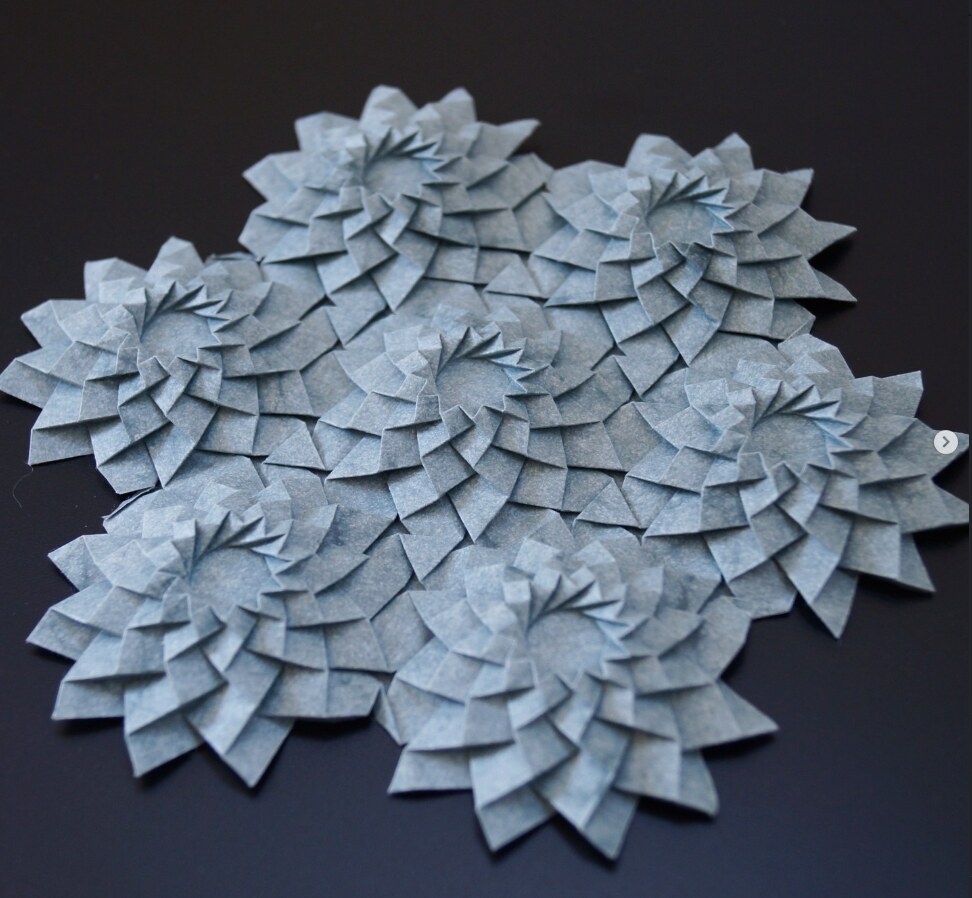
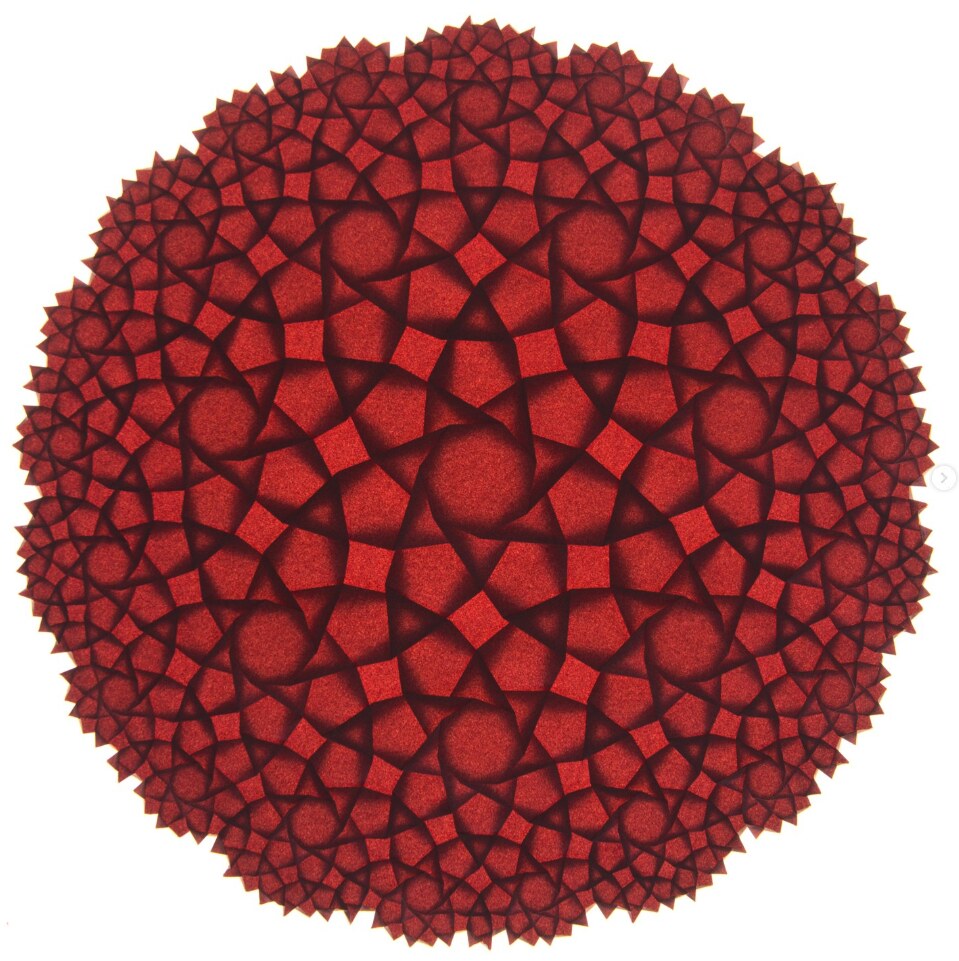
This is one of the simplest styles of origami tessellations, both regarding the algorithm to construct them, as well as the number of creases per edge in the underlying tiling. Paired with the fact that many tilings work with the algorithm (the condition being that they possess a reciprocal figure), they are your best bet to quickly generate a realistically foldable pattern from a bigger or particularly intricate tiling.
The algorithmic construction of such patterns was pioneered by Alex Bateman, whose Tess software generates crease patterns by shrinking and rotating the faces of a tiling (see his paper Computer tools and algorithms for origami tessellation design, Origami³, 2002). A mathematically rigorous treatment of shrink-rotate tessellations can be found in Robert J. Lang's book Twists, Tilings, and Tessellations.
The Algorithm
The algorithm can be described in three steps:
- Compute a reciprocal figure: For each face of the input graph, find a point so that the segment connecting two such points across an edge is perpendicular to that edge. The position is stored as
face['reciprocal_pos']. - Shrink-rotate every face: Shrink each face by a given factor, and rotate around its reciprocal point. The default scale factor is 0.5 and the rotation is $\\pi/5$, but each is a free parameter.
- Connect corners of these faces which were touching in the original tiling (before being shrunk) by creases.
However, the implementation actually performs step (3) before step (2), via the shrink_rotate conway operator.
%matplotlib widget
import pleat
from pleat.example_graphs import from_tiles
from pleat.example_tilesets import t_4_6_12
from pleat.shrink_rotate import (
    shrink_rotate_pattern,
    crease_orientation
)
from pleat.shrink_rotate import ShrinkRotateExplorer
from pleat.rendering import CREASE_PATTERN_PRESET
# Build a tiling, assign face z-order (controls mountain/valley), and build the SRG.
G = from_tiles(t_4_6_12(), rings=3)
crease_orientation.assign_this_way_by_face_degree(G)

SRG = shrink_rotate_pattern(G, simplify_boundary=True)

SRG.show(**CREASE_PATTERN_PRESET)

Interactive explorer
Inspired by the Tess software by Alex Bateman,
pleat.shrink_rotate.ShrinkRotateExplorer packages an interactive widget to tune the parameters of a shrink-rotate tessellation: Drag the sliders to vary the shrink factor and rotation angle and see the crease pattern update live. Toggle folded to preview a backlit version of the folded form, or reparametrized to switch to the equivalent (β, γ) parametrisation, which is typically more convenient for fine adjustments of the model.
The widget requires a Jupyter kernel with %matplotlib widget.
explorer = ShrinkRotateExplorer(SRG)
explorer.display()
The widget mutates v['pos'] on the SRG in place at every change, so downstream operations like pleat.overlap.fold_complete(SRG) always operate on the currently-displayed geometry.
SRG.recompute_lengths_and_angles()
results = pleat.overlap.fold_complete(SRG.copy(), quiet=True, overlap_eps=1e-6)
results.show()
Crease Assignment
Every edge in the original graph corresponds to a parallelogram in the CP. For each such parallelogram, there are two valid mountain / valley crease assignments (two sides are mountains, two sides are valleys, the edges coming together at obtuse angles are the same type).
This can be chosen independently for each parallelogram, and is controlled by setting the THIS_WAY property of halfedges in the original tiling. This can be done conveniently with the different functions in pleat.shrink_rotate.crease_assignment, before constructing the crease pattern.
# central faces on top of outer ones

G = from_tiles(t_4_6_12(), rings=3)
crease_orientation.assign_this_way_from_center(G)
SRG = shrink_rotate_pattern(G, simplify_boundary=True)
pleat.overlap.fold_complete(SRG, quiet=True, overlap_eps=1e-6).show()
# no assigment -> random valid assignment found by layer ordering solver

G = from_tiles(t_4_6_12(), rings=3)
SRG = shrink_rotate_pattern(G, simplify_boundary=True)
pleat.overlap.fold_complete(SRG, quiet=True, overlap_eps=1e-6).show()
Welcome to the CBC MILP Solver
Version: 2.10.3
Build Date: Dec 15 2019

command line - /home/runner/work/pleat/pleat/.venv/lib/python3.12/site-packages/pulp/apis/../solverdir/cbc/linux/i64/cbc /tmp/b19bfcdafbc74f6099b6ed34f21ac31c-pulp.mps -timeMode elapsed -branch -printingOptions all -solution /tmp/b19bfcdafbc74f6099b6ed34f21ac31c-pulp.sol (default strategy 1)
At line 2 NAME          MODEL
At line 3 ROWS
At line 9197 COLUMNS
At line 37639 RHS
At line 46832 BOUNDS
At line 48538 ENDATA
Problem MODEL has 9192 rows, 1705 columns and 25032 elements
Coin0008I MODEL read with 0 errors
Option for timeMode changed from cpu to elapsed
Continuous objective value is 0 - 0.01 seconds
Cgl0004I processed model has 0 rows, 0 columns (0 integer (0 of which binary)) and 0 elements
Cbc3007W No integer variables - nothing to do
Cuts at root node changed objective from 0 to -1.79769e+308
Probing was tried 0 times and created 0 cuts of which 0 were active after adding rounds of cuts (0.000 seconds)
Gomory was tried 0 times and created 0 cuts of which 0 were active after adding rounds of cuts (0.000 seconds)
Knapsack was tried 0 times and created 0 cuts of which 0 were active after adding rounds of cuts (0.000 seconds)
Clique was tried 0 times and created 0 cuts of which 0 were active after adding rounds of cuts (0.000 seconds)
MixedIntegerRounding2 was tried 0 times and created 0 cuts of which 0 were active after adding rounds of cuts (0.000 seconds)
FlowCover was tried 0 times and created 0 cuts of which 0 were active after adding rounds of cuts (0.000 seconds)
TwoMirCuts was tried 0 times and created 0 cuts of which 0 were active after adding rounds of cuts (0.000 seconds)
ZeroHalf was tried 0 times and created 0 cuts of which 0 were active after adding rounds of cuts (0.000 seconds)

Result - Optimal solution found

Objective value:                0.00000000
Enumerated nodes:               0
Total iterations:               0
Time (CPU seconds):             0.04
Time (Wallclock seconds):       0.04

Option for printingOptions changed from normal to all
Total time (CPU seconds):       0.05   (Wallclock seconds):       0.06
# hexagons on top of squares on top of dodecagons:

G = from_tiles(t_4_6_12(), rings=3)
for f in G.faces:
    if f.order() == 6:
        f['z_order'] = 2
    elif f.order() == 4:
        f['z_order'] = 1
    else:
        f['z_order'] = 0
crease_orientation.assign_this_way_by_face_z_order(G)
SRG = shrink_rotate_pattern(G, simplify_boundary=True)
pleat.overlap.fold_complete(SRG, quiet=True, overlap_eps=1e-6).show()